
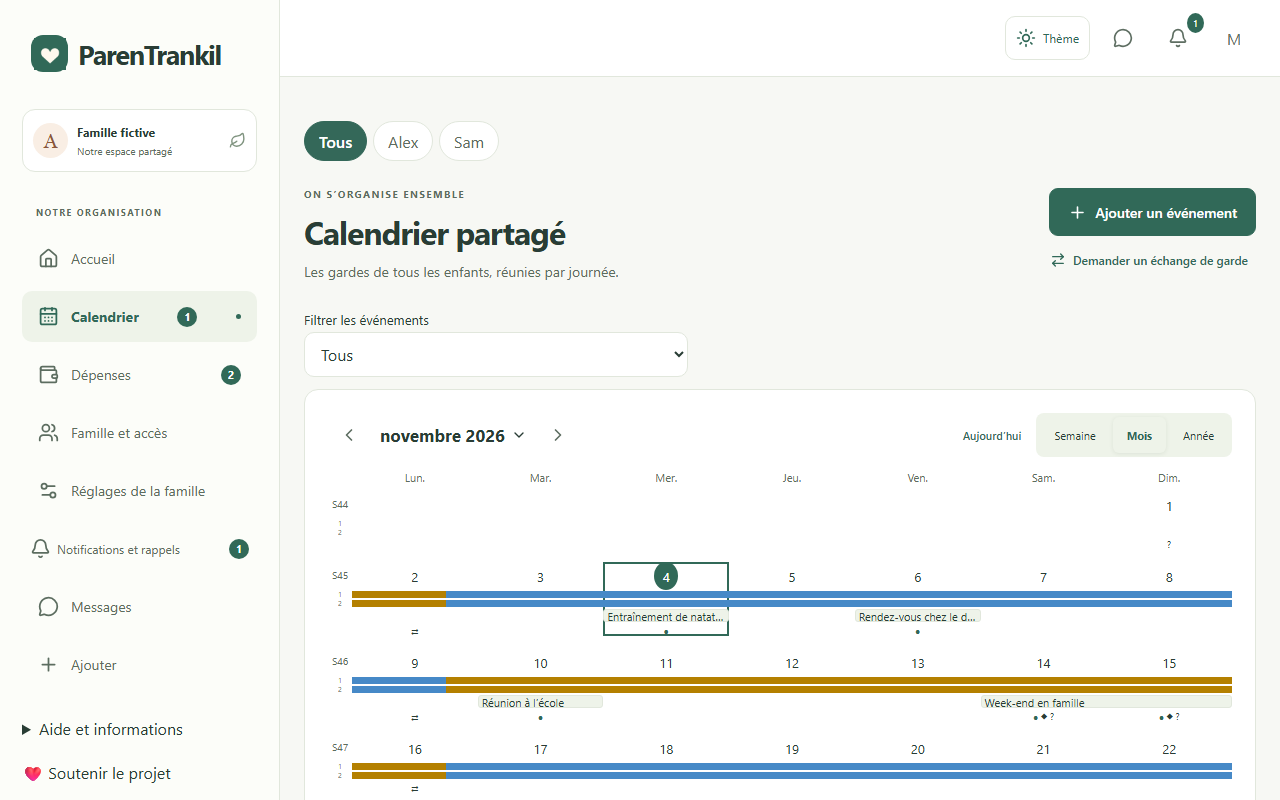
A shared calendar
Custody, handovers, holidays and events: the right information for every child.
TWO HOMES, ONE SHARED EVERYDAY LIFE
Organise custody, share expenses and communicate calmly in a private space for your family.
Free, with no bank card required.
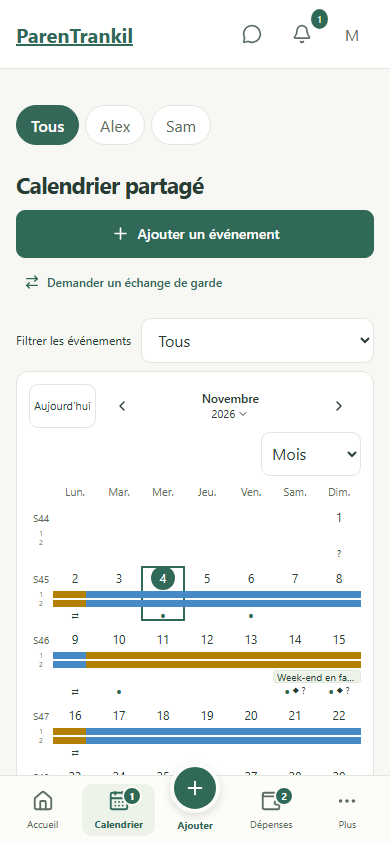
Custody, handovers, holidays and events: the right information for every child.
Share receipts, track the balance and confirm repayments. Parents can export expenses as PDF or CSV for a chosen period.
A shared conversation for authorised relatives and a separate parents-only conversation. Parents can export messages as PDF or CSV for a chosen period.
Shared notes, tasks and handover checklists to prepare for changes of care. Arrange your home modules to suit your routine.
Export ICS or subscribe your calendar to a revocable private link, for Google Calendar, Apple, Outlook or Samsung. Import an ICS file after previewing and selecting events.
An optional space created with parental consent for allergies, blood group, weight and height. Charts of recorded measurements and a private emergency card, with no diagnosis or medical advice.
These previews use a fictional family only. Your family content stays private according to roles and permissions.
All features are available free of charge, with no bank card required. Supporting the project is optional and does not change any access rights.
Create my spaceIn the care schedule settings, choose the pattern, start date and times, then save. The other parent does not need an account.
Yes. Organise both parents’ periods and invite relatives with the permissions you choose. Information entered does not represent the other parent’s agreement.
Open Family and access, enter the other parent’s details and confirm the invitation. They will join the existing space. This step is optional.
Open the calendar and the relevant period. Use settings for the regular pattern, or an exchange request for a change requiring agreement. No response never means acceptance.
Open Expenses, choose Add and enter the expense. Recording it does not represent approval by the other parent.
Android: open ParenTrankil in Chrome or Samsung Internet. In the browser menu, choose Install app or Add to Home screen, then confirm. You can also use Install app in the Account menu when the button is available.
iPhone and iPad: open ParenTrankil in Safari, tap Share, then Add to Home Screen and Add. If Open as Web App appears, enable it. Since iOS/iPadOS 16.4, other compatible browsers can also offer this option in their share menu. If it is missing, open the website in Safari.
Then open the ParenTrankil icon and sign in if needed. An Internet connection is still required for family data.
All features are available free of charge, with no bank card required. Supporting the project is optional and does not change any access rights.
Yes. Everyone keeps their own account and administrators manage family permissions. Access is free for everyone; these permissions continue to protect the data.
Yes. Choose parents living together during signup: share appointments, activities and expenses without setting up a custody schedule. You can add family members later.
One account can join several families. Each space keeps its children, permissions and expenses. If My display is available on your account, you can bring together calendars and expenses for selected children. This is your personal choice and does not merge families.
Everyone uses their own account and the permissions granted in each family. Relatives and children do not automatically get the same access as a parent. A combined display grants no extra rights and does not open one family to another family’s members.
Yes. Choose the effective date and check the preview before confirming. The current schedule continues until then. History and accepted exceptions are preserved; settings distinguish the current and scheduled custody plans.
After signing in, find “Support the project” in More, or at the bottom of the desktop menu. Choose any amount; support is entirely optional.
Can't find the answer to your question? Contact us.
Free, with no bank card required.